
The app
Film it. Fix it. Drill it.
Scratch Circle reads your swing, tells you the one thing to work on, gives you the drill for it, and shows you your progress when you film again. It’s free to start.

How it works
One loop, repeated until it sticks.
1. Film
Record in the app on iPhone at your phone’s fastest frame rate, or upload a video you already have. Phone upright, still, whole body in the picture.
2. Read
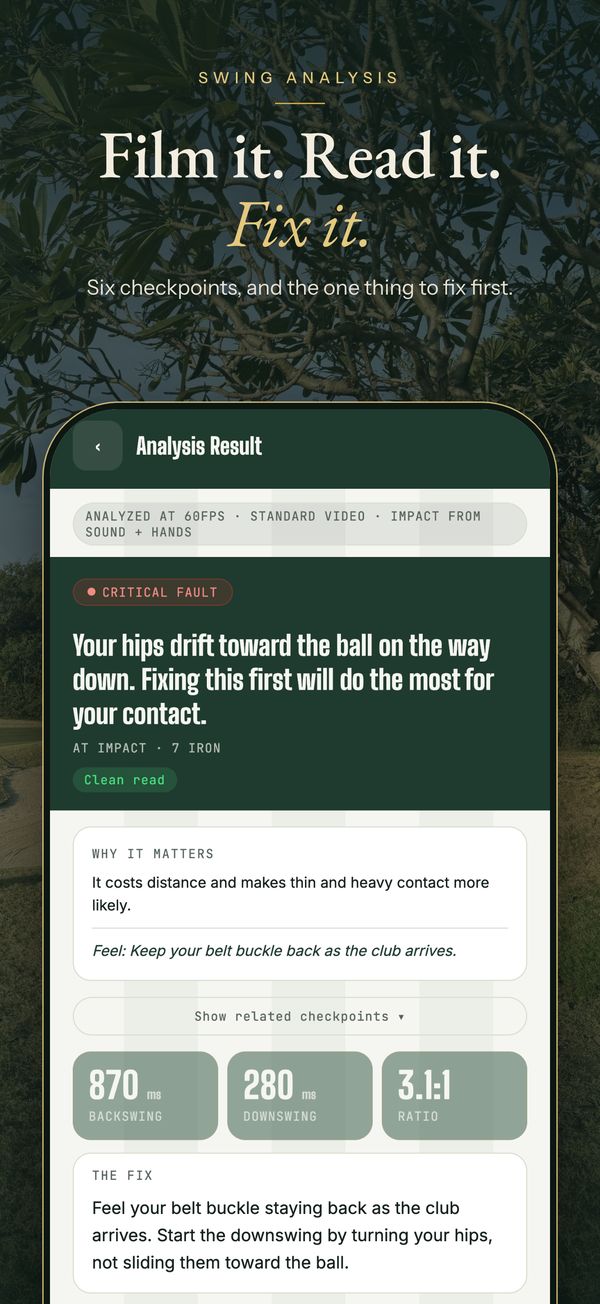
The app marks six checkpoints, tells you what it found and why it matters, and picks Your Focus: the one thing to fix first. Your tempo is measured from the path of your hands, and shown only when it can be confirmed.
3. Practise
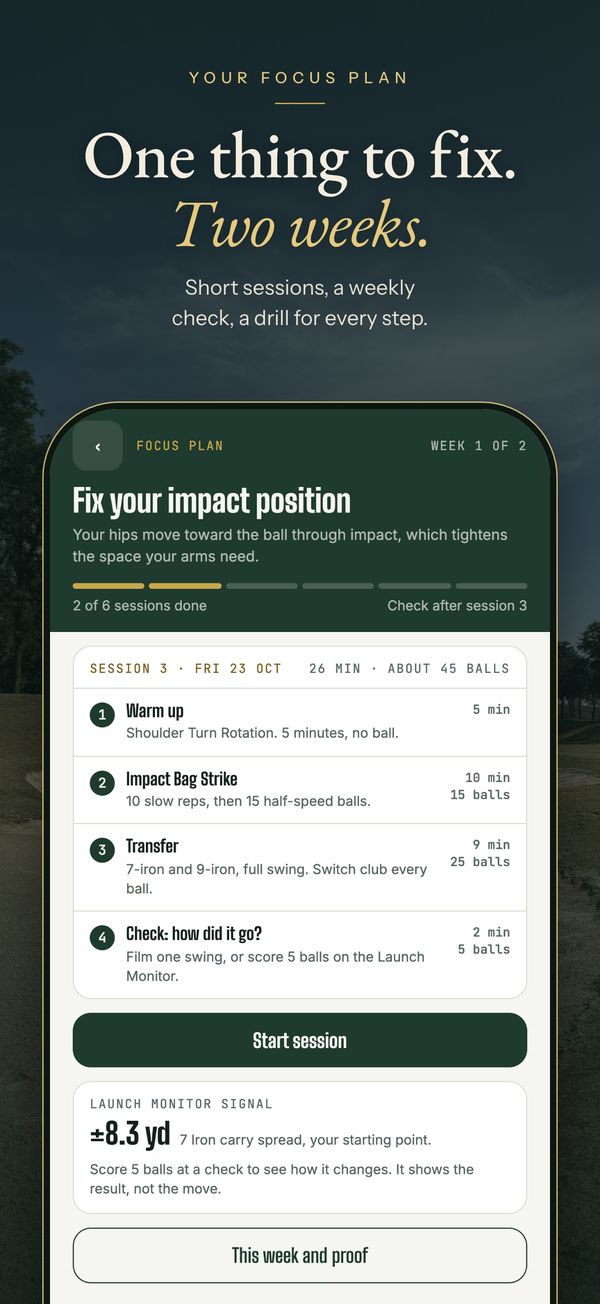
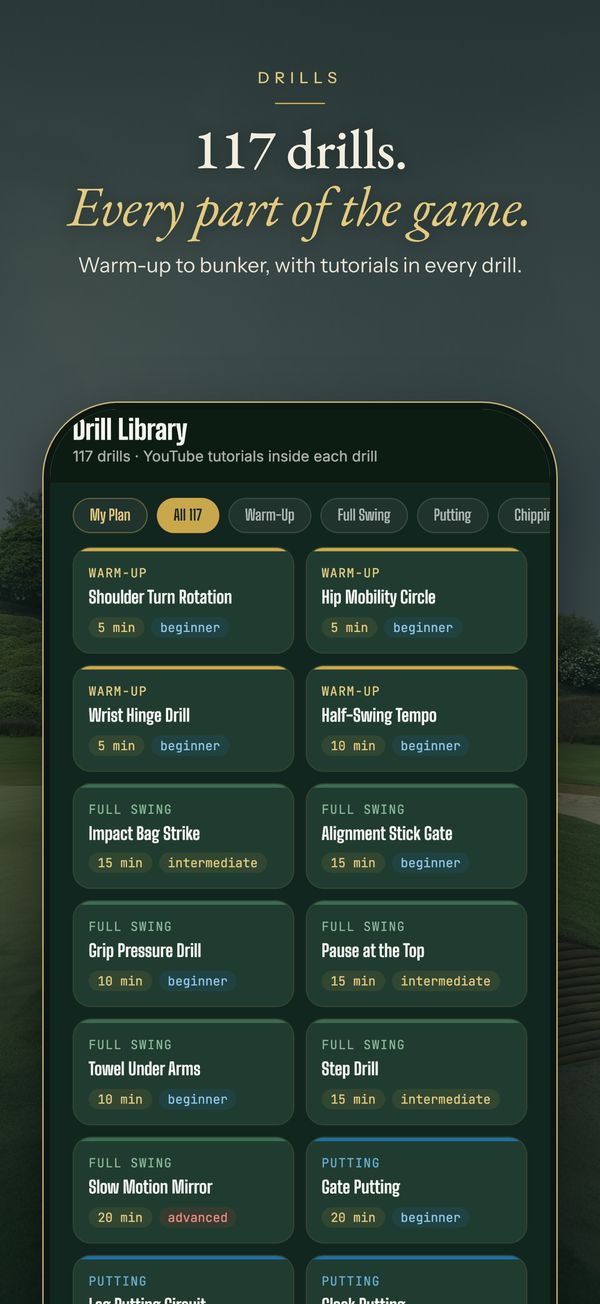
Turn your Focus into a 2-week plan: short sessions built around the drill that matches it, from a library of 117 with tutorials.
4. Check
At the end of each week, hit 5 balls on the Launch Monitor or film again. Two good film checks in a row clear your Focus. Put the old swing and the new one side by side.
A first look
See what is coming.
These are the real screens, with example data. The app is coming soon to the App Store.
What’s in the app
Everything you get on day one.
AI Swing Analysis
Six checkpoints from address to follow-through, confidence shown for each, and honest notes when something is hard to judge from your camera angle. If a position is missed, you can mark it yourself.
See how it works →Launch Monitor iPhone
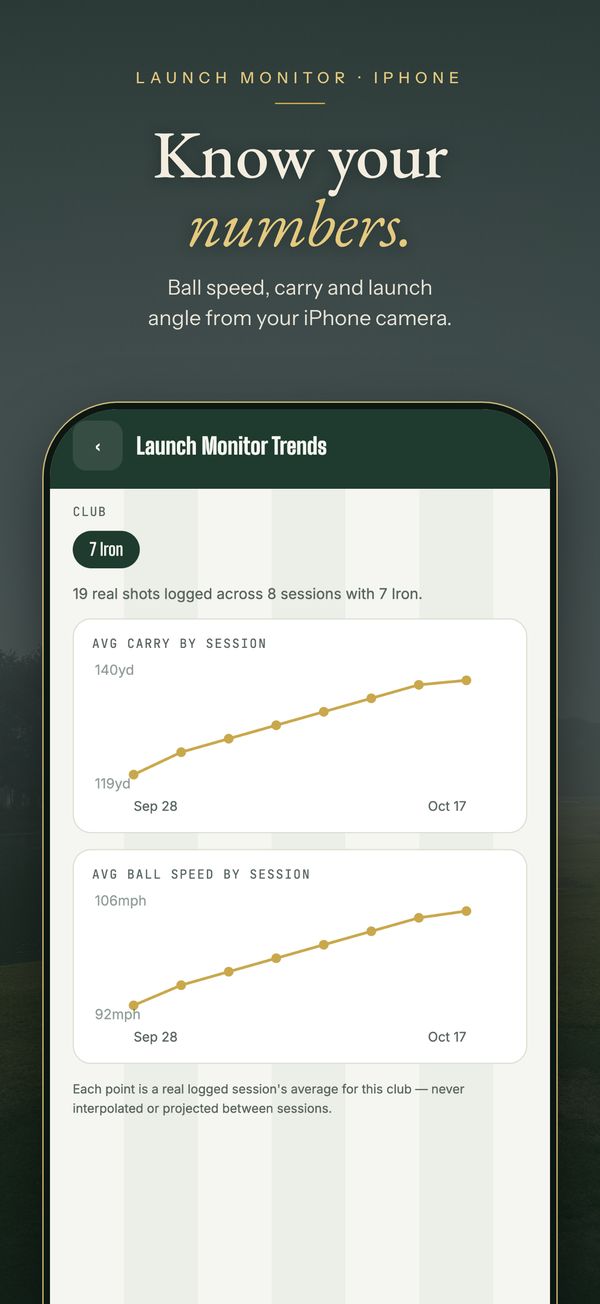
Your phone’s camera tracks the ball for speed, carry and launch angle, with session stats, trends per club and spoken results.
See how it works →Drills
117 drills across warm-up, full swing, putting, chipping, pitching, bunker and range, with tutorials. The free plan includes 25.
Browse drills →Focus Plan
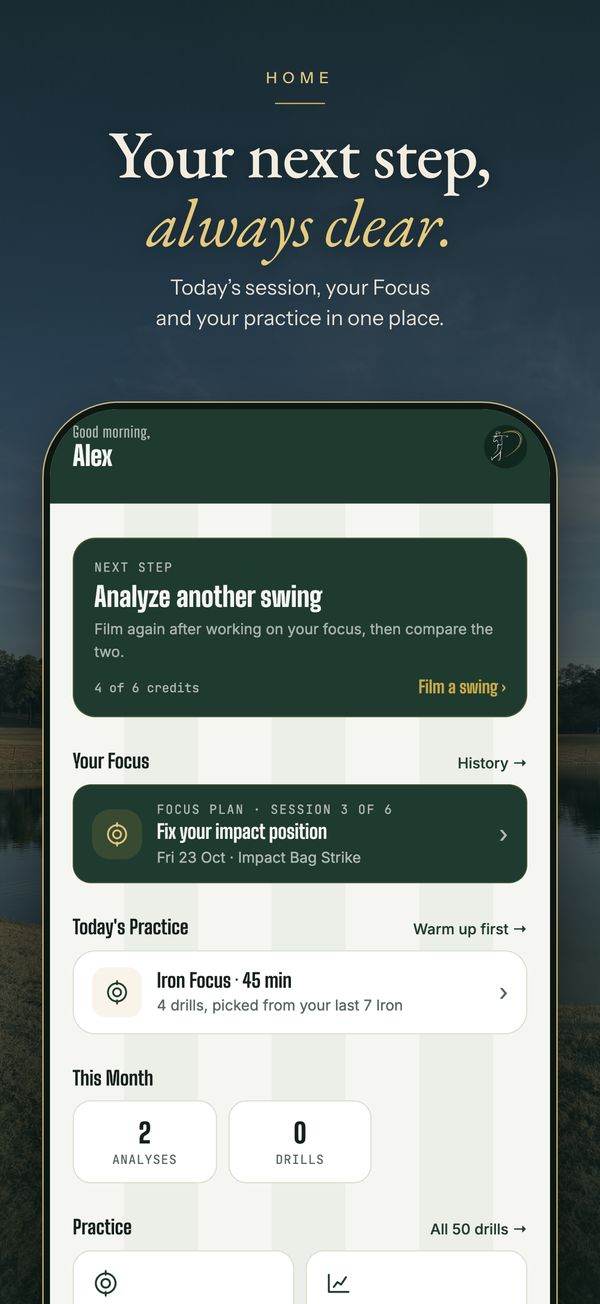
Your Focus becomes a 2-week plan of 2 to 4 sessions a week, about 25 minutes and 40 to 45 balls each, with reminders and a check at the end of each week. Week 1 is free on every plan. On other days, warm-up and range sessions are built from the drill library for the club you are about to hit.
How a plan works →Swing history and compare
Look back over every swing you have analysed and compare any two side by side.
Your Player Card
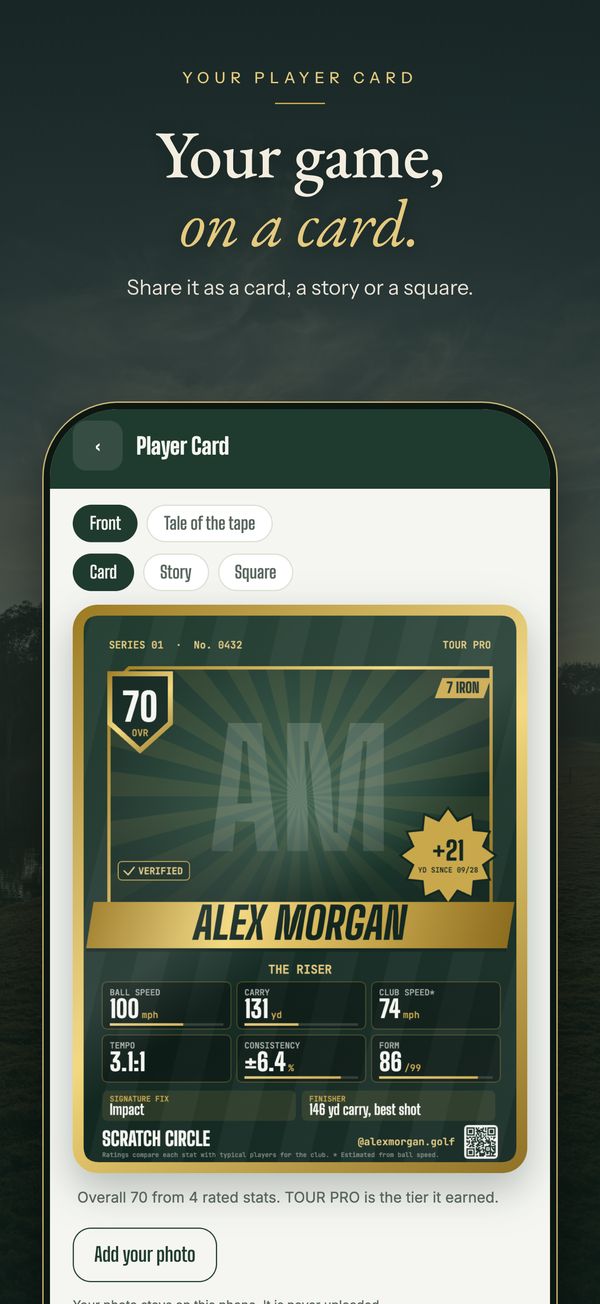
A collectible card with your photo and your own numbers: ball speed, carry, consistency and form, rated against typical players for each club. A Verified chip shows the numbers were tracked by your phone, and badges mark what you have achieved. Share it as a card, a story or a square. Sharing is free on every plan.
Share it with the Circle →Plans
Free to start.
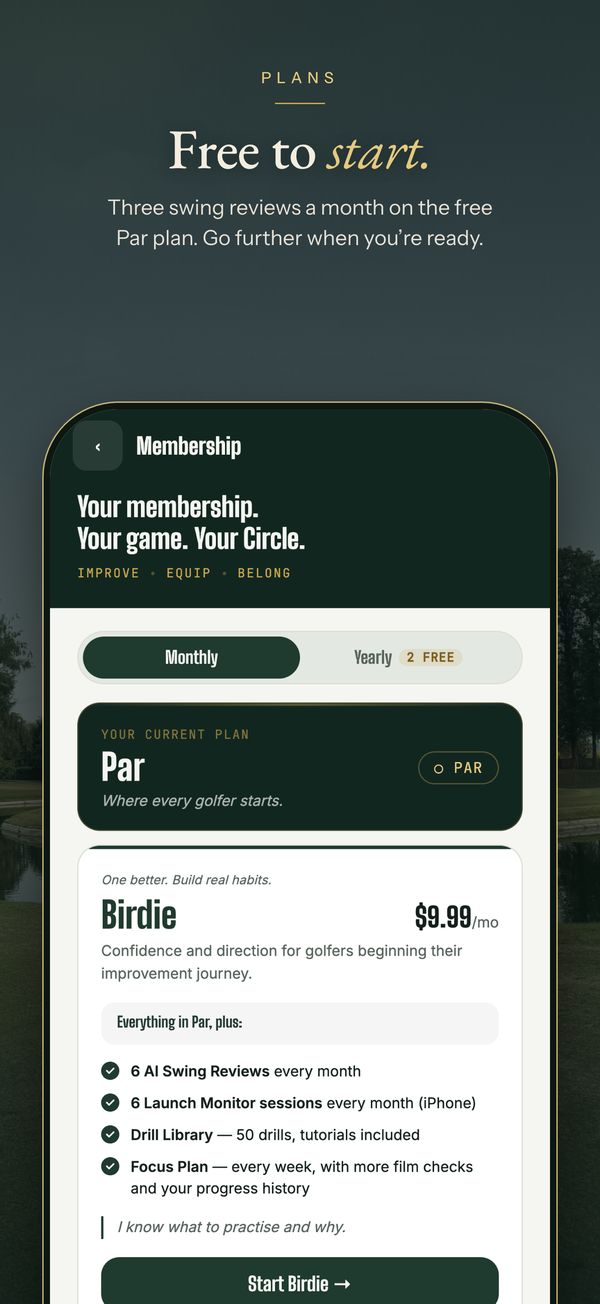
The Par plan is free and includes real, limited access to the core features. Upgrade for more swing reviews and Launch Monitor sessions and the full drill library. Week 1 of a Focus Plan, with your first film check, is free; weeks 2 and on come with Birdie and up.
| Plan | AI swing reviews / month | Launch Monitor sessions / month | Drills |
|---|---|---|---|
| Par (free) | 3 | 3 | 25 |
| Birdie — $9.99/mo | 6 | 6 | 50 |
| Eagle — $14.99/mo | 12 | 12 | 117 |
Paid plans open in the app shortly after launch. Compare all plans →
On the way
Not in the app yet.
Scorecard and handicap tracking, an AI Caddie, My Bag and Know Your Fit, coach-verified reviews for Circle members, and club fitting and servicing are planned. We will announce each one when it opens.
Get the app
Download Scratch Circle.
Sign in with Apple or Google and start on the free Par plan.